
How to teach math online with formulas, graphs and visible reasoning
A practical online math board layout that keeps the source problem, LaTeX formula, function graph and the student's own attempt in one view.
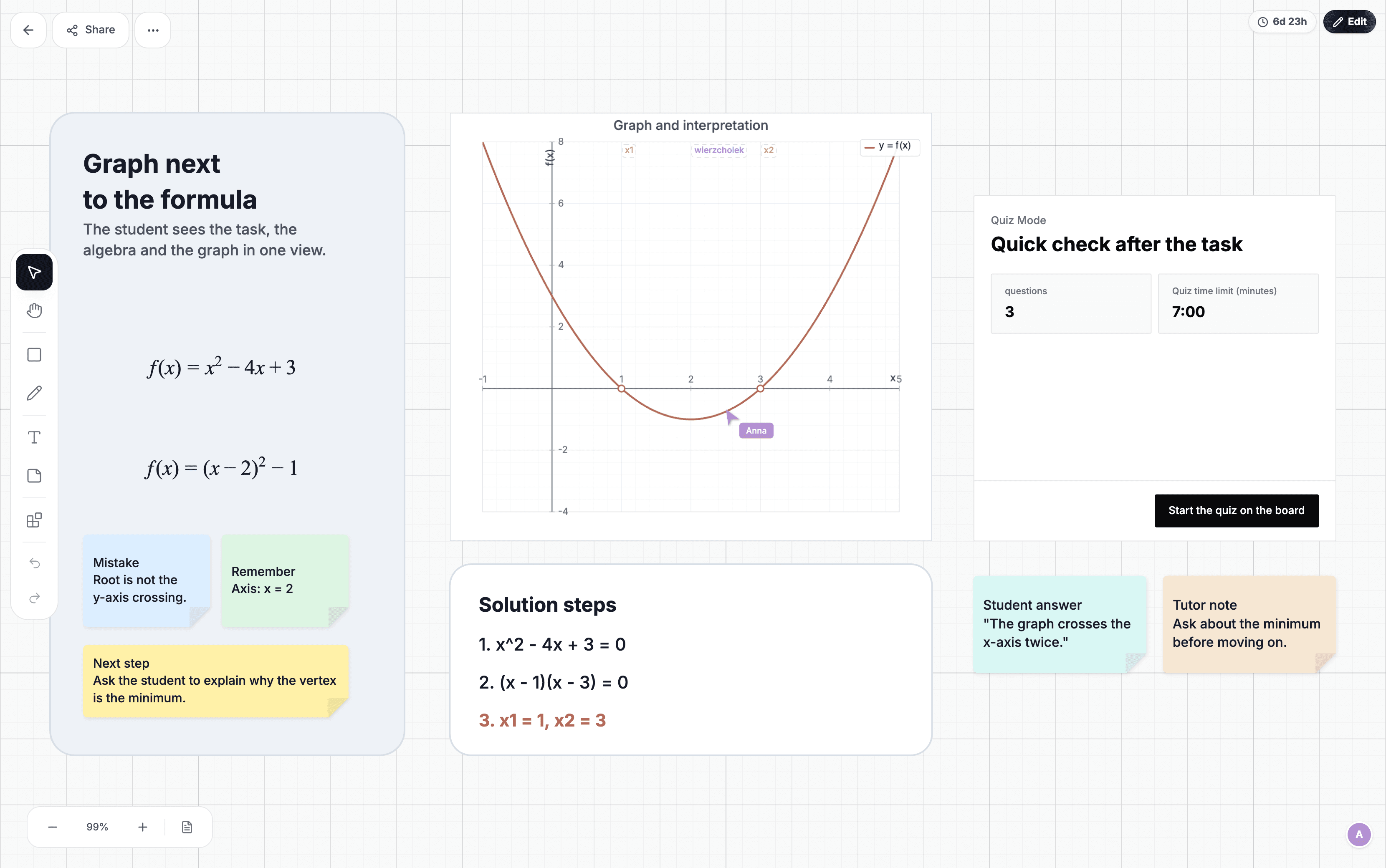
In an online math lesson, the final answer should be the least interesting part of the board. A student needs to see where a formula comes from, how a graph changes and where their own reasoning begins to fail. The problem, calculations and visual representation should remain visible together.
Divide the board into four areas
- Problem and data: the original task, conditions and units.
- Reasoning: each transformation with a short explanation.
- Graph or sketch: a view of the relationship, not decoration added after the calculation.
- Student attempt: separate space that is not occupied by the tutor's notes.
This structure prevents a completed calculation from covering the question and keeps the graph in the lesson while the reasoning is still happening. The student can compare representations instead of seeing them one after another.
Use a LaTeX formula as an anchor
LaTeX is useful when a formula needs to remain readable and be referenced repeatedly. Insert the general form, then make handwritten or text-based transformations beside it. The whole lesson does not need to become a typesetting exercise. One clear formula can anchor the conversation.
For fractions, roots and indices, structured notation reduces the chance that the student confuses the shape of an expression with the next calculation. Define symbols when they first appear, especially when the same letter has different meanings across topics.
A graph should answer a question
For f(x)=x²−4x+3, drawing a parabola is not enough. Mark the roots, vertex and axis of symmetry, then connect each feature to the relevant part of the formula. Changing a coefficient can lead to a prediction: what will move on the graph, and why?
Ask for the prediction before drawing. After changing the parameter, compare the prediction with the result. The graph becomes a way to test understanding rather than a ready-made answer.
Keep errors visible long enough to compare them
If the student loses a sign or applies a formula in the wrong place, mark the point of divergence and leave it beside the corrected version. Deleting the error removes the comparison. A short note such as “the sign changes here” or “this condition is not satisfied” remains useful during later review.
Finish with a decision, not another long calculation
The final check can be small. Show two graphs and ask which one fits, offer two possible next steps, or ask which condition has not yet been used. A brief decision often reveals understanding faster than another full exercise.
When to use a specialist tool
A computer algebra system or advanced calculator is better for symbolic computation, statistics and analysis with many parameters. The board is where explanation and shared reasoning happen; it does not need to replace every mathematical tool.
See Lucyboard in an online math tutoring scenario and explore a separate example of working with a function graph.